How to Automate Visitor Notifications with Slack
Is reception desk duty becoming concentrated on specific staff members? What started as a rotation system often ends up with the same person handling all visitors - leading to increased burden, workplace dissatisfaction, and turnover risk. This article explains how to eliminate reception desk burden through automated visitor notifications using iPad and Slack integration.
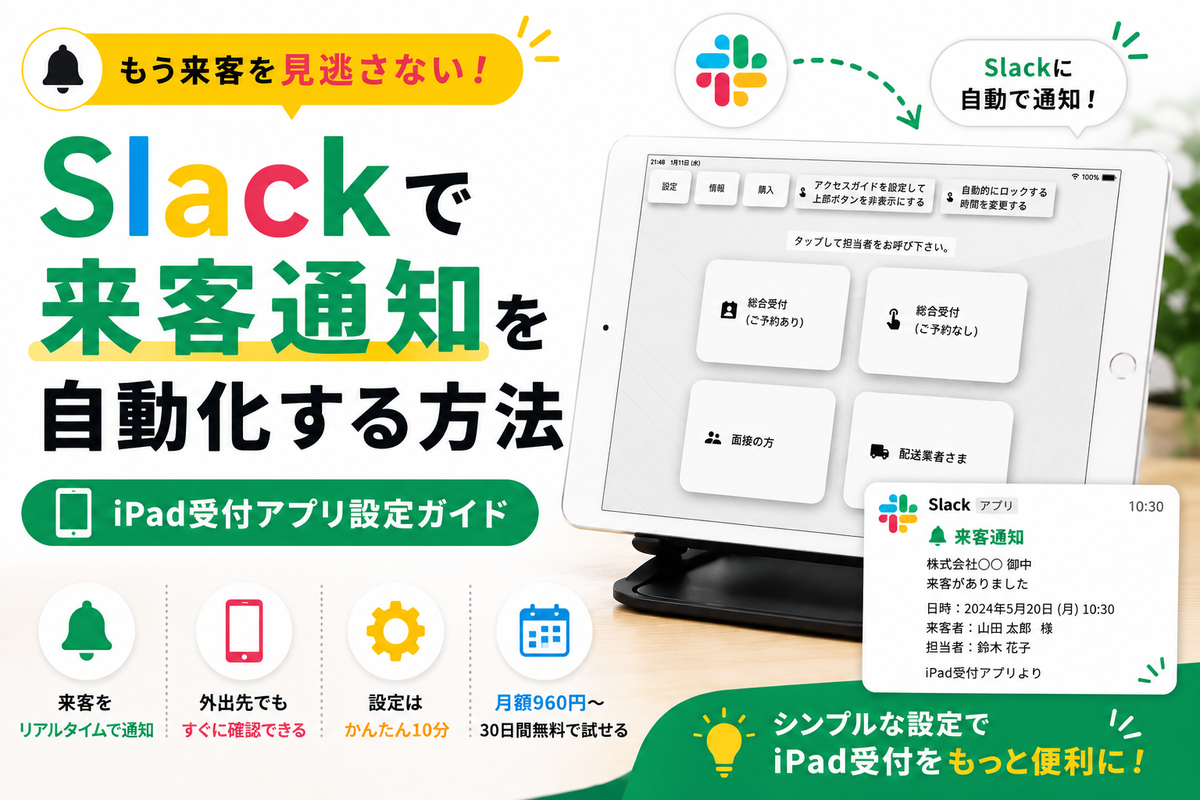
The Problem of Concentrated Reception Burden
In many workplaces, reception duties operate on a rotation system. However, this often leads to the following issues:
- Burden concentrates on specific people: While checking "whose turn is it today?", the same person ends up handling all visitors
- Unable to focus on primary work: Interruptions for reception duties reduce productivity
- Creates sense of unfairness: Uneven burden leads to workplace dissatisfaction and turnover risk
- Cannot afford dedicated reception staff: Budget constraints prevent hiring full-time reception personnel
The solution to these challenges is automation through iPad reception apps.
Solution: iPad Reception App and Slack Integration
By implementing an iPad reception app, notifications are sent directly to staff members' Slack when visitors arrive. No one needs to be stationed at reception, and everyone can focus on their core work.
How iPad Reception Apps Work
- Visitors register on iPad: Visitors enter their name and contact person on the iPad placed at reception
- Automatic Slack notification: Input information is sent in real-time to the staff member's Slack channel
- Staff responds: Notified staff member goes to reception to greet the visitor
This simple workflow dramatically reduces reception desk burden. Detailed setup instructions are available on our Slack integration dedicated page.
How Slack Integration Works
Here are the specific steps to integrate an iPad reception app with Slack.
1. Install iPad Reception App
First, install Reception With App on your iPad. Easily downloadable from the App Store, with a 30-day free trial to test risk-free.
2. Configure Slack Webhook
Simply set up your Slack Webhook URL in the app, and visitor information will automatically be sent to your Slack channel. No technical knowledge required - setup completes in as little as 10 minutes.
3. Notification Content
Slack notifications include the following information:
- Visitor name
- Contact person (staff name or department)
- Visit purpose
- Arrival time
This allows staff to instantly understand who arrived and why, enabling smooth response.
Benefits of Unmanned iPad Reception
Combining iPad reception apps with Slack integration provides the following benefits:
1. Eliminates Reception Desk Burden
Since notifications are sent directly to staff via Slack when visitors arrive, no one needs to be stationed at reception. Everyone can equally focus on their core work.
2. Low-Cost Implementation
Reception With App costs $9.69/month on App Store, approximately $9.60/month on Google Play. With zero initial costs, it's dramatically cheaper than hiring dedicated reception staff.
3. Automatic Visitor History Recording
iPad visitor management apps automatically save all visitor records. Useful for security measures and compliance requirements.
4. Compatible with Other Chat Tools
Besides Slack, integration with Chatwork and Microsoft Teams is also available. Choose the tool your workplace uses.
Start Free for 30 Days
Reception With App offers a 30-day free trial. Simply register your credit card to immediately experience automated iPad reception.
Start Your Free Trial Now
$9.69/month on App Store, ~$9.60/month on Google Play
Zero initial costs, no contracts
Eliminate reception desk burden and improve workplace productivity. Achieve unmanned reception with iPad reception app and Slack integration.